General Description
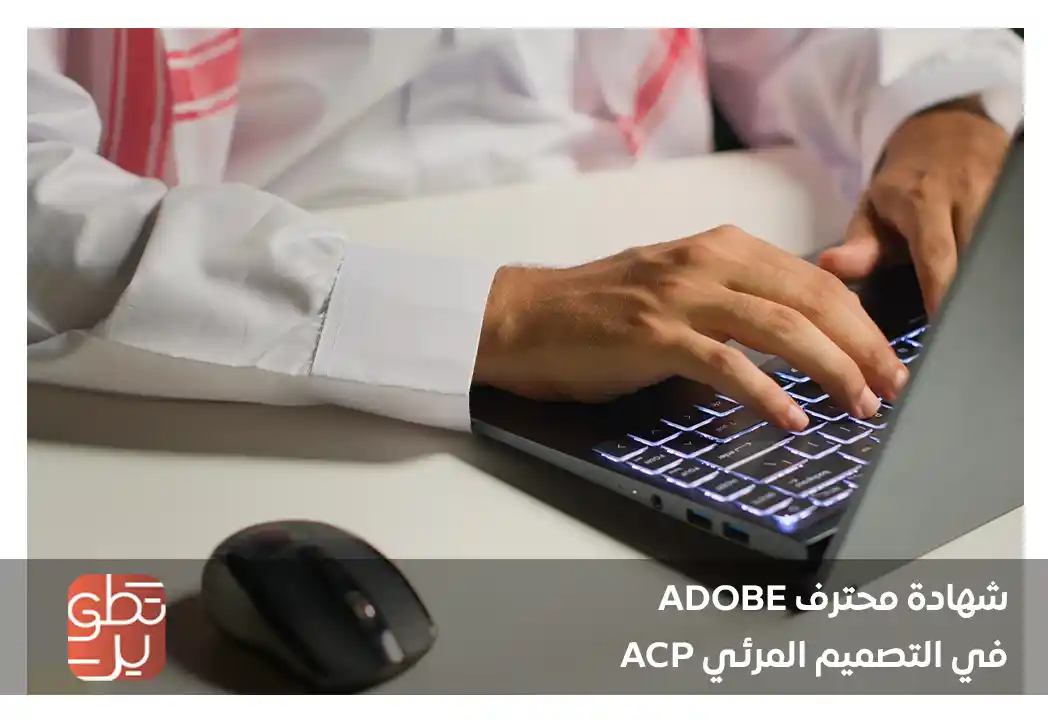
In just 5 days, develop your visual design skills and earn the Adobe Certified Professional in Visual Design certificate through MDIT, at a cost of SAR 4,700, within an online training program.
If you aspire to enter the design field professionally, or you want to improve your level in using Adobe tools, the Adobe Certified Professional in Visual Design certificate gives you a strong opportunity to understand the fundamentals of visual design and create creative work that meets labor market needs.
Through the Adobe Certified Professional in Visual Design program, you will learn how to use design tools in an organized way, with a focus on producing digital designs, print materials, visual identities, and marketing content with professional quality.
Contact us now and earn the ACP certificate that helps you develop your creative skills and enhance your career opportunities in the design field.
The Goals
Objectives of the Adobe Certified Professional in Visual Design Certificate
The trainee will be able to gain complete knowledge through MDIT, enabling them to learn advanced skills in graphic design software through Photoshop and Illustrator.
Detailed objectives:
- Introduce the trainee to the latest developments in using Adobe software.
- Introduce the trainee to different design skills.
- Enable the trainee to acquire advanced design skills.
- Introduce the trainee to the most important and fastest shortcuts in Photoshop.
- Help the trainee master the most well-known Photoshop tricks.
- Introduce the trainee to different types of Photoshop designs.
- Help the trainee manipulate images and content easily inside Photoshop.
- Introduce the trainee to the basic concepts and features of Adobe Illustrator.
- Teach the trainee how to design advertising posters and logos.
- Help the trainee gain basic knowledge of Adobe programs.
- Enable the trainee to understand the basic skills of Adobe programs.
- Help the trainee master the use of tools that change and develop within the software.
Target Auidence
Target Audience for the Adobe Certified Professional in Visual Design Certificate
The Adobe Certified Professional in Visual Design certificate is suitable for a wide range of groups who want to develop their skills in graphic design and visual content.
The target audience includes:
- Beginner designers who want to build a strong professional foundation.
- Students and graduates interested in entering the design field.
- Professionals working in marketing, advertising, and content creation.
- Content creators who want to improve the quality of their designs.
- Visual identity and corporate communication employees.
- Small business owners and entrepreneurs.
- Social media managers who need design skills.
- Anyone who wants to earn the ACP certificate to support their career path.
- Experienced designers who want to organize and document their skills.
- Individuals interested in building a professional portfolio in visual design.
Therefore, the Adobe Certified Professional certificate is suitable for anyone who wants to develop their creative skills, whether they are at the beginning of their journey or aiming to move to a more professional level.
The Features
Features of the Adobe Certified Professional in Visual Design Certificate
The Adobe Certified Professional in Visual Design certificate offers a range of features that help you develop your professional level in design, especially if you want to prove your skills using the most widely used Adobe tools in the market.
Key features include:
- Developing practical skills in visual design using Adobe tools.
- Understanding the fundamentals of graphic design in an applied way.
- Enhancing the ability to create designs suitable for digital and printed content.
- Improving image editing and visual element handling skills.
- Supporting job opportunities in design, advertising, and content creation.
- Building a stronger professional portfolio for designers and creatives.
- Acquiring skills that help execute more organized visual projects.
- Preparing to use design tools in professional work environments.
Topics
Modules of the Adobe Certified Professional in Visual Design Certificate
The Adobe Certified Professional in Visual Design program focuses on a set of modules that help the trainee build a complete understanding of graphic design and its practical applications. The main modules include:
Module One: Introduction to Graphic Design and the Fundamentals of Adobe Programs
- Basic concepts of graphic design.
- Design elements: point, line, shape, color, and texture.
- Design principles: balance, contrast, alignment, proximity, and visual hierarchy.
- Overview of Photoshop, Illustrator, and InDesign interfaces.
- Difference between raster and vector images.
- Setting up the workspace in each program.
Module Two: Image Editing and Design Using Adobe Photoshop
- Opening and creating new documents and adjusting their settings.
- Selection, cropping, and blending tools.
- Working with layers and masks.
- Adjusting colors and lighting: Brightness, Levels, and Curves.
- Using filters and effects.
- Adding and formatting text.
- Exporting and saving files in suitable quality for printing and digital publishing.
Module Three: Designing Graphics and Logos Using Adobe Illustrator
- Vector drawing tools: Pen Tool and Shape Tools.
- Creating and editing shapes and symbols.
- Working with paths and curves.
- Coloring using gradients and color transitions.
- Designing logos and graphic elements.
- Inserting and formatting text creatively.
- Exporting files in formats suitable for print and web: AI, SVG, PDF, PNG.
Module Four: Page Layout and Print Design Using Adobe InDesign
- Preparing multi-page documents: booklets, brochures, and books.
- Setting margins, columns, and typographic styles.
- Inserting and formatting text and images.
- Using paragraph and character styles.
- Creating organizational tables and contents.
- Exporting files for professional printing with margins and CMYK color mode.
Module Five: Typography and Text Formatting
- Basic typography concepts: Font, Typeface, Kerning, and Tracking.
- Choosing the right font for the design identity.
- Formatting paragraphs and headings professionally.
- Designing a visual identity based on text.
- Adjusting alignment and spacing in text within projects.
Module Six: Visual Identity and Branding Design
- Components of visual identity: logo, colors, fonts, and visual style.
- Designing business cards, envelopes, and letterheads.
- Preparing a visual identity usage guide.
- Applying the identity across digital and printed media.
Module Seven: Social Media and Web Post Design
- Design sizes according to platforms: Instagram, Facebook, and LinkedIn.
- Preparing repeatable design templates for campaigns.
- Designing promotional and advertising posts.
- Exporting images in suitable quality for fast display and easy loading.
- Maintaining visual identity in digital content.
Module Eight: Integration Between Adobe Programs and Creative Workflow
- Linking files between Photoshop, Illustrator, and InDesign.
- Using Smart Objects.
- Exchanging and coordinating files between programs.
- Managing Adobe CC Library.
- Organizing workflow to save time and ensure quality.
Module Nine: Preparing to Pass the Official ACP Exam
- Reviewing basic concepts and practical skills.
- Practicing with samples of official questions.
- Strategies for dealing with “in-program practice” questions.
- Common mistakes to avoid.
- Registration and exam steps through Certiport.
Module Ten: Implementing a Comprehensive Final Project and Performance Evaluation
- Choosing a complete design idea: identity + advertisement + post.
- Executing the project using the three programs.
- Presenting the project professionally.
- Receiving feedback and evaluation from the trainer.
- Preparing the final file in a professional format for printing and display.
These modules help the trainee move from the basic learning stage to a more organized level in executing designs and creative projects.
Learning outcomes
Outcomes of the Adobe Certified Professional in Visual Design Certificate
After completing the Adobe Certified Professional in Visual Design program, the trainee becomes more capable of creating professional design work that meets the needs of individuals, companies, and institutions. Key program outcomes include:
- A comprehensive understanding of the basic concepts of visual design, such as composition, balance, color, typography, and fonts.
- Advanced knowledge of Adobe Photoshop and Illustrator, including their tools, functions, and techniques.
- Knowledge of the latest developments in using Adobe programs and their different applications.
- Knowledge of different types of designs, such as web designs, graphic designs, and print designs.
- Knowledge of the most important tricks and techniques in Photoshop and Illustrator to improve design skills.
- Knowledge of the basic concepts and features of Adobe Illustrator.
A professional design certificate also gives the trainee a better opportunity to demonstrate their abilities to employers and clients, especially in fields that depend on high-quality visual content.
Requirements And Conditions
Requirements for the Adobe Certified Professional in Visual Design Certificate
Joining the Adobe Certified Professional in Visual Design program does not require complex prerequisites, but it is more effective for trainees who have an interest in design or a desire to learn Adobe tools. Key suitable requirements include:
- A desire to learn visual design practically.
- Basic knowledge of computer use.
- Interest in graphic design or content creation.
- Readiness to train on Adobe tools.
- Ability to apply training exercises and projects.
- Desire to develop a professional design portfolio.
Therefore, the ACP certificate is suitable for beginners who want an organized start, as well as experienced individuals who want to support their skills with a professional certificate in design.
FAQs
The Blog
The Adobe Associate Certified Professional program aims to support the needs of the local market with highly skilled individuals in graphic design software. It enables them to work in a specialized design environment, supporting institutions and companies in this field without the need to rely on external design providers, which reduces costs and increases productivity.
The certificate aims to help trainees understand the principles of graphic design, organize visual elements, and use colors, fonts, and images in a way that reflects the design concept and serves its purpose.
Levels of the Adobe Certified Professional in Visual Design Certificate
To earn the Adobe Certified Professional in Visual Design ACP certificate, there is more than one pathway that the trainee can prepare for depending on the available program and professional needs.
Common pathways include:
- First pathway: Passing the Adobe Photoshop exam along with the Adobe Illustrator exam.
- Second pathway: Passing the Adobe Photoshop exam along with the Adobe InDesign exam.
This variety helps the trainee choose the pathway closest to the nature of their work, whether they focus on designing advertisements and social media content, print and marketing materials, or building visual identity.
The value of the Adobe Certified Professional certificate appears here because it does not focus only on theoretical knowledge, but also helps the trainee prove their ability to use design tools practically.
Price of the Adobe Certified Professional in Visual Design Certificate 2026
The cost of the Adobe Certified Professional in Visual Design program through MDIT is approximately SAR 4,700. This professional design certificate is suitable for anyone looking for a training program that helps them understand Adobe tools, improve the quality of their visual work, and build a stronger professional foundation in graphic design.
Fee Reimbursement from “Hadaf”
The training program and exam fees are fully reimbursable by the Human Resources Development Fund “Hadaf,” provided that the trainee passes the exam and obtains the professional certificate. For more details about support conditions, please visit the Hadaf page through the link: hrdf.org.sa
Job Opportunities After the Adobe Certified Professional in Visual Design Certificate
The Adobe Certified Professional in Visual Design certificate helps trainees apply for multiple opportunities in the field of design and visual creativity, especially in sectors that require continuous and attractive visual content.
Suitable job opportunities include:
- Graphic Designer.
- Visual Content Designer.
- Social Media Designer.
- Visual Identity Designer.
- Digital Advertising Designer.
- Print Designer.
- Visual Content Coordinator.
- Assistant Art Director.
- Marketing Materials Designer.
- E-commerce Content Designer.
- Presentation and Profile Materials Designer.
- Design Executor within marketing and advertising teams.
A professional design certificate is an important step for anyone who wants to enter the creative labor market or improve their career opportunities within companies, agencies, and institutions.
Accreditation of the Adobe Certified Professional in Visual Design Certificate
- Local accreditation: University of Business and Technology – Mubtakir for Professional Certifications.
- International accreditation: Adobe – Certiport.
The certificate helps the trainee prove that they have practical design skills, especially when applying for jobs or projects that require proficiency in Adobe programs. Through MDIT, the trainee receives a training program that helps them understand the certificate requirements and prepare for it in an organized way, with a focus on the practical skills required in the labor market.
Program Details
- Program language: Arabic, with technical terms used in English.
- Number of hours: 48 hours.
- Number of days: 10 days.
- Training type: Online / remote.
What Is the Adobe Photoshop Exam?
The Adobe Photoshop exam is one of the important exams within the Adobe Certified Professional in Visual Design pathway. It aims to measure the trainee’s ability to use Photoshop in performing basic and professional design tasks.
The exam focuses on image editing skills, layer organization, handling visual elements, preparing digital designs, and using the program’s tools correctly to produce professional work.
The exam is not limited to the theoretical side only; it also measures the trainee’s ability to apply skills inside the program, which makes the Adobe Certified Professional certificate more valuable for designers and those interested in the field.
Details of the Adobe Certified Professional in Visual Design Exam
The Adobe Certified Professional in Visual Design exam details include a set of elements that the trainee should know before applying, in order to prepare correctly and in an organized way.
- Number of exams required to obtain the certificate: Two exams according to the selected pathway.
- Programs available in the pathways: Adobe Photoshop and Adobe Illustrator, or Adobe InDesign.
- Exam language: English.
- Number of questions: 30 questions per exam.
- Exam duration: 50 minutes per exam.
- Question type: Multiple choice and practical application.
- Exam method: Online.
Important Tips for Exam Preparation
To prepare better for the exam, the trainee is advised to:
- Review the fundamentals of visual design before the exam.
- Practice Photoshop daily.
- Understand Illustrator or InDesign tools according to the selected pathway.
- Create different design samples before taking the exam.
- Focus on organizing layers and elements within the design.
- Review the professional use of colors and fonts.
- Practice practical questions, not just theoretical ones.
- Manage exam time because each exam lasts only 50 minutes.
These details help the trainee enter the exam with greater confidence and make the ACP certificate a practical step toward building a stronger future in design.
Start your creative journey with the Adobe Certified Professional in Visual Design certificate through MDIT, and develop your design skills over 5 training days with a total of 20 hours.